AI Agents for Small Business: What They Are, How They Work, and How to Start in 2026
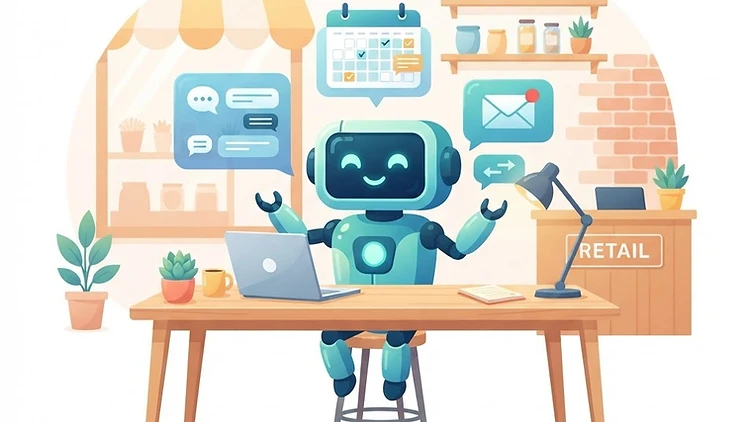
AI Agents for Small Business: What They Are, How They Work, and How to Start in 2026
Last updated: 03.09.2026
Heard about AI agents for business but not sure what they actually are? You're not alone. Most business owners still confuse ChatGPT with an AI agent — and the difference between them is exactly the difference between a typewriter and an employee who understands your business.
ChatGPT answers questions. An AI agent acts. It doesn't just write text — it reads your CRM, sends emails, updates customer statuses, and makes decisions based on rules you defined in advance. Instead of copying a reply and pasting it somewhere, the work gets done on its own.
What Exactly Is an AI Agent?
An AI agent is software built on a language model (like ChatGPT), but with an extra capability: it can perform actions. It connects to your systems — CRM, email, WhatsApp, customer support — and operates based on instructions and rules you define.
The core difference: ChatGPT is a tool you operate. An AI agent is a worker that runs independently in the background, all the time.
A practical example: A customer sends a message to your business on WhatsApp. ChatGPT doesn't know about it, because it isn't connected to your WhatsApp. An AI agent does. It receives the message, identifies the customer, checks their purchase history in the CRM, and responds accordingly. All without your involvement.
AI Agents for Business — Not Another Response Bot
An important distinction: an AI agent and a response bot are not the same thing. A bot sends a menu — "press 1 for prices". An AI agent understands the question, checks the context, and answers. It can know that a customer asking "how much does the service cost?" already received a quote last month, and respond accordingly. A bot cannot.
The difference matters because customers recognize a bot instantly and get frustrated. An AI agent sounds like a member of your team — and that's the difference between a good experience and one that drives customers away.
5 Use Cases for AI Agents in Small Business
1. 24/7 Customer Service
The most common use case. An AI agent answers customer inquiries at any hour, based on your business data — refund policy, pricing, delivery times, frequently asked questions. When it doesn't know the answer, it hands off to a human.
Typical saving: 60-80% of customer inquiries are repeat questions. An AI agent handles them and leaves you only the inquiries that genuinely need human attention.
2. Lead Qualification and Enrichment
An AI agent receives a new inquiry, runs a short conversation with the prospect (on WhatsApp or email), collects the relevant details — and only then passes you a qualified lead. Instead of talking to 20 inquiries to find 3 real customers, you get the 3 qualified ones, ready for a conversation.
The agent asks the right questions: Which service are you interested in? What's the scope of your activity? What's your approximate budget? When do you plan to start? The answers are saved in the CRM with the inquiry, so when you reach out — you already know everything about the prospect. The conversation starts from the right place, not from zero.
3. Automated Follow-Up
A customer received a quote and never replied? An AI agent sends a reminder after 3 days, a second one after 7 days, and gives you a report with each customer's status. You don't need to remember to follow up — it remembers for you.
GoHighLevel includes a CRM with built-in automation that lets you set up an AI agent that manages customer follow-up, sends reminders, and updates statuses — all from a single system.
4. Continuous Data Analysis
Instead of pulling a report once a month and discovering something went wrong three weeks ago, an AI agent monitors your data constantly and flags anomalies. A sudden drop in sales? A customer about to churn? The agent notifies you immediately.
For example: an AI agent monitoring your customer base can identify a customer who stopped ordering after two years of regular purchases. It sends an alert: "Formerly active customer, no order in 45 days." You reach out before the customer moves to a competitor — instead of finding out six months later.
5. Calendar Management and Meeting Scheduling
An AI agent connects to your calendar, offers customers available time slots, coordinates meetings, and sends reminders. Cancellations? It automatically proposes an alternative slot. You simply show up to meetings that are already scheduled.
Make lets you connect the AI agent to different systems — calendar, CRM, WhatsApp, email — and build complex processes without code. The free plan is enough to get started.
AI Agents for Business: How Do You Start?
Step 1: Identify One Recurring Task
Don't try to automate the entire business in one day. Pick one task — the one that consumes the most time and repeats itself. Usually that's customer service or lead follow-up.
Step 2: Choose a Platform
Two main routes:
Built-in platform — a CRM with a built-in AI agent, like GoHighLevel. Advantage: everything in one place — CRM, WhatsApp, email, automation. Drawback: less flexibility for customization.
Build it yourself — connect tools with Make and feed the agent rules and data. Advantage: full control. Drawback: requires more setup and maintenance.
Step 3: Define Clear Rules
An AI agent needs boundaries. Define:
- Which topics it can answer and which it cannot
- When it hands off to a human (for example: a customer complaint, a refund request)
- What tone it uses (friendly, formal, brief)
- Which systems it can touch (read-only? write too?)
Step 4: Test in Parallel
Two to three weeks — run both tracks: the agent answers, and you review every reply. Only once you're confident it answers correctly 95% of the time, switch to full autonomy.
How Much Does It Cost?
The answer depends on the route:
- CRM with built-in AI (GoHighLevel) — the full package at $97/month (Israeli businesses: add 18% VAT), including CRM, business WhatsApp, email, and automation. Fits most small businesses.
- Build it yourself — use Make (free plan up to 1,000 operations/month) plus a language model (ChatGPT API, roughly $0.01-0.05 per conversation). Cheaper at first, requires more maintenance.
For a small business with up to 200 customers — GoHighLevel is usually the more cost-effective solution because it saves you from maintaining integrations. For a business with specific, complex needs — Make gives flexibility that a closed platform can't offer.
Common Mistakes
Giving the agent too much freedom: An AI agent making decisions without clear boundaries will make mistakes. Define in advance what it can and cannot do. An agent that answers 5 topics accurately beats an agent that tries to answer everything and gets it wrong.
Not testing before full launch: Run the agent in supervised mode — it answers, but you review every reply before it goes out. Only once it's proven reliable, release it to act independently.
Not updating its knowledge: An AI agent answers based on the information you fed it. Changed a price? Added a product? Update the agent. An agent with stale information is worse than no agent at all.
How to Choose a Platform?
The central question: how much flexibility do you need, versus how much time you're willing to invest in setup and maintenance.
GoHighLevel — choose it if you want a solution that works out of the box. CRM, WhatsApp, email, automation, and an AI agent — all in one place. Fast setup, minimal maintenance. Fits most small businesses that don't want to maintain integrations.
Make — choose it if you have existing systems you want to connect, or if you need a custom process a closed platform doesn't support. Requires more setup time but gives full control.
For a small business starting out — GoHighLevel is usually the right choice. As the business grows and matures with automation, you can add Make for processes GoHighLevel doesn't cover.
Building an AI Agent Yourself — What It Really Costs
Most businesses reading this ask the same question: can you build an AI agent yourself, without paying an implementation agency? The answer is yes — provided you start small.
A free AI agent — the honest truth: the tools are free or cheap, but your time isn't. The free plan of Make is enough to build a first agent: one trigger (incoming email), one action (send to ChatGPT to draft a reply), one output (send it back to the sender). The free version of ChatGPT is enough for drafting — you don't need an API subscription at first, only once the agent has to work on its own without you copying and pasting.
The DIY build path in practice:
- Pick one recurring process (answering pricing questions, summarizing meetings)
- Write the agent's instructions — what it knows, what tone it uses, what it doesn't answer
- Build the trigger-action chain in Make
- Run it for a week on your own account before connecting customers
- Upgrade to a paid plan only once the agent proves it saves time
The difference between "building an AI agent" and "buying an AI agent": the first costs time and gives you full control over the process. The second costs money and gives you speed. For a small business starting out — the DIY path is the way to learn what you actually need, before investing in an expensive platform.
What's Next?
AI agents for business are no longer the future — they're the present. Businesses starting now gain a competitive edge that will shrink as more companies adopt the technology.
The key: start small, with one task, test, and expand. Don't wait for the "perfect moment" — it won't come. Start with one inquiry, one build, and learn as you go.
Try GoHighLevel — CRM + WhatsApp + email + AI agent in one system
Try Make for free — build an AI agent connected to all your systems, no code required
Affiliate Disclosure: The GoHighLevel and Make links in this article are affiliate links. We may earn a commission if you purchase a subscription through them, at no extra cost to you. Our recommendations are based on hands-on experience and fit for small businesses.
Want to stay updated on AI agents, automation, and small business operations? Subscribe to the UDigitalAI newsletter — and get the tools and processes that actually save time and grow revenue, straight to your inbox.
As of September 2026. Prices and features may change — check with providers before purchasing.
Recommended SaaS tools for your business
Tools we've tested in the field with clients and businesses — worth the investment. Links marked as affiliates: if you buy through them we earn a commission, at no extra cost to you.
Zapier
אוטומציהחבר יותר מ-6,000 אפליקציות ובנה אוטומציות ללא קוד — מהמהירות ביותר להפעלה בעסק.
Make
אוטומציהאוטומציה ויזואלית עם בקרה מדויקת על כל שלב — מתאים לזרימות עבודה מורכבות.
Notion
פרודוקטיביותמסמכים, מסדי נתונים וניהול פרויקטים במקום אחד — בסיס ידע מרכזי לצוות.
HubSpot CRM
CRMניהול לקוחות חינמי עם כלים שיווקיים מובנים — נקודת התחלה מצוינת לעסקים צומחים.
ChatGPT Plus
AIגישה ל-GPT-4o וכלי יצירה מתקדמים — עוזר אישי AI לכתיבה, ניתוח ומחקר.
Airtable
ניהול נתוניםמסד נתונים גמיש שמרגיש כמו גיליון — לניהול תהליכים עסקיים בלי פיתוח.
Disclosure: some links on this page are affiliate links. If you purchase through them, UDigitalAI may earn a commission — our recommendations are based on hands-on experience, not on the commission.
Comments
Share your insights and join the conversation.
No comments yet. Be the first to respond.
ID: UDA-EN-016