WhatsApp AI Agent: The Complete Guide for Businesses in 2026
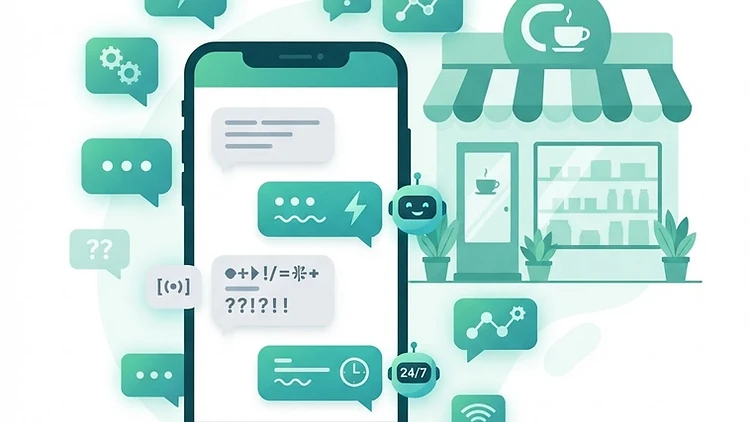
WhatsApp AI Agent: The Complete Guide for Businesses in 2026
Last updated: 25.09.2026
WhatsApp is the communication channel customers actually use. Small businesses receive dozens of messages a day — and most of them repeat the same questions: what's the price, when are you open, where's my order. Whoever answers fast wins the customer. Whoever doesn't — loses them to a competitor who did.
A WhatsApp AI agent solves this. It answers every inquiry within seconds, 24 hours a day, on weekends and at 3 AM. And it does it in your business's tone — not like a generic bot that annoys customers.
Meta Business Agent — WhatsApp's Official AI Agent
In June 2026, after a pilot that began at the end of 2025, Meta launched Meta Business Agent globally — an official AI agent that operates directly inside WhatsApp Business. Meta describes it as "an AI agent that responds to customers on your behalf, 24/7, in your business's tone and style."
What does this mean for small businesses? You don't have to build an AI agent from scratch. There are now official options from Meta itself, and also third-party platforms that connect to the WhatsApp Business API and build customized agents. The official agent is free to start in the WhatsApp Business app, up to a usage limit — beyond that, a Meta One subscription applies. For heavier use via the business platform (API), Meta charges per token, starting August 2026.
The choice between the options depends on the complexity you need: Meta Business Agent provides basic, intelligent responses. Platforms like GoHighLevel and Make give you full control over the logic, CRM connections, and complex processes.
Meta Business Agent or a Custom AI Agent — The Full Comparison
Choosing between Meta's official agent and a custom AI agent you build (or have built) with platforms like Make — is one of the most important decisions in the implementation. Here's the comparison to help you decide:
| Meta Business Agent (official) | Custom AI Agent | |
|---|---|---|
| Setup time | Hours — activate from the app | Days to weeks — building logic |
| Control over logic | Limited — what Meta allows | Full — any scenario you want |
| CRM connection | Limited or unavailable | Full — sync customers, leads, statuses |
| Extra tool connections | No | Yes — email, calendar, invoicing, forms |
| Vendor dependency | Full — Meta decides what's available | Yours — your process, your data |
| Price | Free up to a usage limit, then Meta One; via the API — per-token rates (from Aug 2026) | Platform cost + build time |
When to Choose Meta Business Agent
If your needs are simple — answers to common questions, pointing to your website, collecting order details — Meta's official agent does it fast, with zero development and zero maintenance. Especially suited for a business just getting started with automation.
When to Choose a Custom Agent
If your business process is complex — lead scoring by priority, calendar connections, deal status tracking, or integration with internal systems — a custom agent with Make or a platform like GoHighLevel gives you full control. The agent knows your business, not just generic answers.
Our Recommendation
Starting out? Try Meta's official agent — setup is fast, and you'll quickly learn what customers actually ask. After a month, if you see customers asking more than the official agent can answer — that's the time to move to a custom agent. The data you collect in the first month will make your custom build several times more accurate.
What Is a WhatsApp AI Agent?
A WhatsApp AI agent is software connected to your business WhatsApp account that answers customer messages automatically and performs actions based on instructions you define. Unlike a fixed response bot (which sends the same message to everyone), an AI agent understands the question, checks the context, and responds accordingly.
The difference from a regular bot: a bot sends a menu — "press 1 for prices, 2 for support". An AI agent runs a conversation. The customer writes "how much does the business plan cost?" and the agent replies "The business plan is $75/month, support included. Want me to send you more details?"
Use Cases: What Can a WhatsApp AI Agent Do?
1. Instant Response to Inquiries
The most basic and most important case. A customer sends a message — gets a reply within seconds. Doesn't matter if you're driving, in a meeting, or asleep at night. The agent answers, identifies the inquiry type, and acts.
Key stat: research shows 78% of customers choose the business that answers first. A WhatsApp AI agent guarantees you're always first.
2. Lead Collection and Enrichment
An AI agent doesn't just answer — it collects. It asks the right questions (which service? what budget? when?), feeds the answers directly into the CRM, and hands you a qualified lead ready for a conversation. You don't repeat the same questions with every customer — the agent already asked.
The big advantage: when the customer answers, the responses are saved to the customer's card in the CRM. When you reach out, you already know what they're looking for and their budget. The conversation starts at an advanced stage, not from scratch.
GoHighLevel lets you connect the AI agent on WhatsApp directly to the CRM, so every inquiry enters the system, gets categorized, and is ready for follow-up — all automatically.
3. Appointment and Meeting Scheduling
An AI agent connects to your calendar, offers the customer open time slots, books the meeting, and sends a reminder before the appointment. Cancellation? It immediately proposes an alternative slot. You simply show up to meetings that are already scheduled.
4. Order and Status Tracking
"Where's my order?" — the question every business gets at least once a day. An AI agent checks the order status in your system and answers the customer immediately — without you having to stop what you're doing to go check.
5. Customer Service and Technical Support
An AI agent answers common questions based on your business data — refund policy, usage instructions, frequent issues. When it doesn't know the answer — it hands off to a human, with a summary of the conversation so far so nobody starts from scratch.
Examples of Businesses Using a WhatsApp AI Agent
Dental clinic: the agent answers questions about opening hours, schedules appointments, sends reminders 24 hours before the visit, and asks for confirmation. Cancellations enter the system and the slot frees up automatically. A 70% drop in no-shows.
Online store: the agent answers "where's my order?" based on a connection to the shipping system, handles return requests, and routes only complex cases to human handling. First response time dropped from 4 hours to 30 seconds.
Law firm: the agent collects inquiry details (case type, dates, documents), feeds them into the CRM, and passes on a qualified lead. The client gets an immediate response during hours when the office is closed. The lawyer only receives relevant inquiries — with full details.
How Do You Build a WhatsApp AI Agent?
Option 1: Ready Platforms with Built-in AI
The simplest route for a small business. A platform like GoHighLevel includes business WhatsApp, CRM, and automation in one system. You define the agent's rules, feed in the business data, and it starts working. There are also dedicated platforms that manage WhatsApp, Instagram, and Messenger conversations together (for example Crimbo.AI) — worth comparing pricing and capabilities against GoHighLevel before deciding.
Advantage: everything in one place, fast setup, no technical knowledge required. Drawback: less flexibility for specific customizations, and full dependency on the platform.
Option 2: Independent Build with Make + ChatGPT API
You connect WhatsApp to Make, send every incoming message to the ChatGPT API with custom instructions, and return the answer to the customer. Full integration with your CRM, calendar, and any other system you have.
Make lets you build these connections without code — drag and drop blocks. The free plan is enough to start, and you can expand from there.
Advantage: full control, connection to any system, maximum flexibility.
Important note: every business that wants an AI agent on WhatsApp needs an official WhatsApp Business API account. GoHighLevel provides this connection as part of the platform — no need to handle it separately. With an independent build using Make, you'll need to open a WhatsApp Business API account with Meta or an authorized provider. Drawback: requires more setup time and ongoing maintenance.
Quick setup tip: Meta launched an official MCP server for WhatsApp Business — a tool that lets AI agents like Claude, ChatGPT, and Cursor handle the setup for you: opening message templates, configuration, and testing. Especially useful if you're building the agent yourself.
Policy Update (2026): Starting January 15, 2026, Meta banned general-purpose chatbots (like ChatGPT and similar) on the WhatsApp platform. Only business bots are allowed — customer service, sales, appointment scheduling, and the like — operating on behalf of a defined business through a WhatsApp Business API account. What this means for you: the AI agent you build must be defined as a business assistant with a clear purpose (support, sales, scheduling), not a general personal assistant. All the solutions in this guide meet this requirement.
Pricing Change Effective October 1, 2026: Meta will start charging on a per-message basis for service and utility messages sent within the 24-hour window — until now they were free. As of late September 2026, there is ambiguity about the final rates — Meta announced the change, but the full pricing policy has not yet been published. We recommend checking Meta's official rate card before launch, and budgeting for an expensive scenario rather than assuming zero. What this means for you: an AI agent that manages long conversations generates many messages — factor message costs into your sales process before launch, and make sure the agent doesn't send unnecessary messages.
How Much Does It Cost?
GoHighLevel: $97/month (Israeli businesses: add 18% VAT) — includes CRM, business WhatsApp, email, automation, and an AI agent. A comprehensive solution for small businesses.
Make + ChatGPT API: free plan to start (1,000 operations). Additional API costs — roughly $0.01-0.05 per conversation, depending on length and complexity. Cheaper at first, requires maintenance.
Budget alternative: for technically inclined readers — n8n (open source, self-hosted) connected to Green API lowers operating costs at high volumes. Important to know: this is not the official WhatsApp Business API route, and it requires ongoing self-maintenance.
What Should You Watch Out For?
Don't expose sensitive data: an AI agent needs access to customer data to work, but set minimal access. Don't give it access to payment details, credit card numbers, or medical information.
Don't replace humans entirely: an AI agent handles 70-80% of inquiries. The rest — complex cases, complaints, angry customers — requires a human. Define in advance when the agent hands off, and make sure the handover is smooth.
Keep a human tone: the agent should sound like your business, not like a bot. Write clear tone instructions — friendly, brief, to the point. Add response templates that feel personal and not like a script.
Update its knowledge: changed a price? added a product? changed business hours? update the agent immediately. An agent with outdated information creates a worse experience than no agent at all.
Frequently Asked Questions
Is a WhatsApp AI agent suitable for a small business? Absolutely. A business receiving 10 messages a day already gets value — fast responses, inquiries that don't fall through the cracks, and customers who get answers during hours when you're not available.
Do customers know it's AI? Depends on your setup. Some businesses label it "automated assistant" and some don't. Our recommendation: transparency is a value. If the agent answers intelligently and hands off to a human when needed — customers don't get annoyed. They prefer a fast AI reply over waiting for a human.
What about spam messages? An AI agent can filter spam, identify irrelevant inquiries, and save you the time wasted on junk. Set clear rules — when to answer, when to ignore, when to block.
Summary
A WhatsApp AI agent is no longer a luxury — it's an essential tool for small businesses that want to answer fast, close more deals, and not lose customers to the competitor who replied first.
The key: start with one task (instant response to inquiries), test, and expand. GoHighLevel for businesses that want a ready solution in one system, or Make for those who want an independent build with maximum flexibility.
Try GoHighLevel — AI agent + WhatsApp + CRM in one system
Try Make for free — build a WhatsApp AI agent connected to all your systems
Affiliate Disclosure: The GoHighLevel and Make links in this article are affiliate links. We may earn a commission if you purchase a subscription through them, at no extra cost to you. Our recommendations are based on hands-on experience and fit for small businesses.
Want to stay updated on AI agents, automation, and small business operations? Subscribe to the UDigitalAI newsletter — and get the tools and processes that actually save time and grow revenue, straight to your inbox.
As of September 2026. Prices and features may change — check with providers before purchasing.
Recommended SaaS tools for your business
Tools we've tested in the field with clients and businesses — worth the investment. Links marked as affiliates: if you buy through them we earn a commission, at no extra cost to you.
Zapier
אוטומציהחבר יותר מ-6,000 אפליקציות ובנה אוטומציות ללא קוד — מהמהירות ביותר להפעלה בעסק.
Make
אוטומציהאוטומציה ויזואלית עם בקרה מדויקת על כל שלב — מתאים לזרימות עבודה מורכבות.
Notion
פרודוקטיביותמסמכים, מסדי נתונים וניהול פרויקטים במקום אחד — בסיס ידע מרכזי לצוות.
HubSpot CRM
CRMניהול לקוחות חינמי עם כלים שיווקיים מובנים — נקודת התחלה מצוינת לעסקים צומחים.
ChatGPT Plus
AIגישה ל-GPT-4o וכלי יצירה מתקדמים — עוזר אישי AI לכתיבה, ניתוח ומחקר.
Airtable
ניהול נתוניםמסד נתונים גמיש שמרגיש כמו גיליון — לניהול תהליכים עסקיים בלי פיתוח.
Disclosure: some links on this page are affiliate links. If you purchase through them, UDigitalAI may earn a commission — our recommendations are based on hands-on experience, not on the commission.
Comments
Share your insights and join the conversation.
No comments yet. Be the first to respond.
ID: UDA-EN-017