Shira, Gel Nails, and the Bot That Freed Her From Her Phone — WhatsApp Automation for Small Businesses
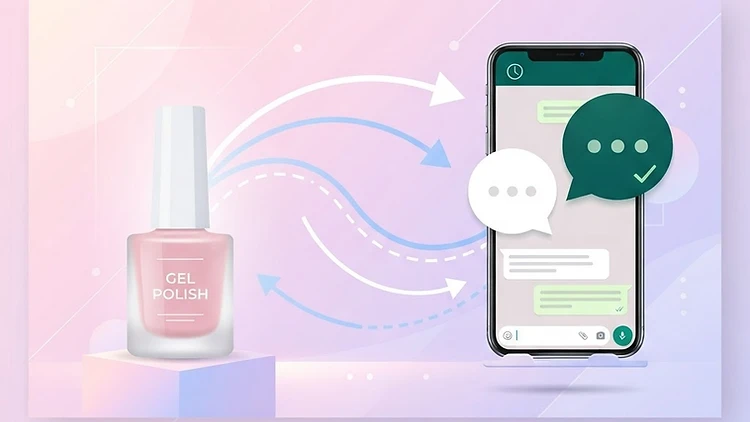
Shira, Gel Nails, and the Bot That Freed Her From Her Phone — WhatsApp Automation for Small Businesses
Last updated: 23.08.2026
Shira runs a gel nail business from her home. She has loyal clients, a steady hand, and a fully booked calendar. Every third client has been coming for two years. The business works — and works well.
The problem? Shira runs everything through WhatsApp Business, and her phone never stops ringing. 15-20 messages a day — "When are you free?", "How much for a manicure?", "Can we move it to Tuesday?", "Is there parking near you?". Between clients she's typing replies, checking her calendar, confirming, canceling, reminding herself to follow up. In the evening she replies from bed. On weekends she replies mid-family dinner. She admits that sometimes she opens WhatsApp and feels a wave of dread.
The real question isn't "how do I reply to everyone" — it's "when am I actually providing service and when am I just managing a calendar?"
The Problem — Clients Who Leave Before You Reply
Think about it this way: a client sends a message at 10:00 AM. Shira is mid-treatment — hands busy, wet polish, can't touch the phone. She replies at 12:00. The client has already reached out to a competitor. WhatsApp data shows that 60% of clients expect a response within 10 minutes. After 30 minutes — half of them are already looking elsewhere.
And it's not just about speed. It's about repetition. 80-90% of inquiries to a business like Shira's are the same questions: prices, availability, location, types of treatments, cancellations. Shira types the same answers over and over — same price for a manicure, same address, same business hours. That's 8-13 hours a week of typing — an entire workday lost.
And the clients who do stick around? They get slow responses, and sometimes no response at all because Shira forgot to reply between treatments. And half the replies she does send are just "Yes, 4 PM works" — answers that could be given automatically.
The Solution — WhatsApp Business API + AI
Regular WhatsApp Business (the app) is just a chat. You open it, type, reply. WhatsApp Business API is something different — it's a connection that allows external systems to read and write messages on behalf of your business, automatically. The client doesn't know it's automated — she gets a reply in WhatsApp as usual, just faster.
What does this mean in practice?
- A client asks "How much is a gel manicure?" — the system automatically replies from the price list within seconds
- A client asks "When are you free this week?" — the system checks the calendar and offers available slots
- A client says "Can I cancel tomorrow?" — the system cancels, updates the calendar, and sends confirmation
- A new client asks "Where are you located and is there parking?" — the system sends the address, directions, and a Waze link
And what about clients who genuinely need Shira? Complex, sensitive, or unusual questions — they're forwarded to her immediately. A client asking "I'm allergic to acrylic, what do you recommend?" — that message goes straight to Shira, flagged for attention. The bot doesn't replace Shira. It filters the noise so she can focus on what actually needs her.
How much does it cost? WhatsApp Business API gives you 1,000 service conversations per month for free — more than enough for a business like Shira's. Marketing messages cost $0.025 per message. Service messages (replies to client inquiries) — $0.004. The AI engine behind it — Make + OpenAI — costs $14-29 per month. Total: under $15/month.
Limitations to know about: 24-hour response window — once a client messages you, you have 24 hours to reply for free. Initial limit of 250 contacts per day — plenty for a small business. Broadcast messaging (like a WhatsApp newsletter) requires an approved template.
"But..." — Objections and Solutions
1. "How can I trust a bot to answer instead of me?"
The bot doesn't replace you — it filters. It only answers topics you choose: prices, hours, location, treatment types, cancellations. Anything outside the knowledge base — forwarded to you immediately. You decide what the bot knows and what it doesn't.
Example: A client asks "How much is a manicure?" — the bot answers from the price list, instantly. A client asks "I'm allergic to acrylic, what do you recommend?" — the message goes straight to Shira, flagged. Shira reads it and replies personally. The bot knows its limits.
2. "My clients are used to me, they won't want to talk to a bot"
The bot doesn't say "I'm a bot." It responds on behalf of the business, in Shira's tone — warm, personal, professional. And if a client asks for Shira? The message is forwarded immediately, no questions, no waiting. The client never feels like she talked to a machine.
Practical tip: Start with just automated messages about business hours and the price list — two simple answers. You'll see that nobody notices. After a week of smooth operation — expand to appointment booking and cancellations. Gradual transition, not all at once.
3. "It's too expensive for a small business"
$14-29 per month. The savings: 8-13 hours per week. Let's do the math: if Shira charges $50 per treatment and the bot brings in one additional booking per day — because it replied fast and the client didn't reach a competitor — that's $1,500 extra revenue per month. Against $15 in costs. The system pays for itself 10x over, and that's before counting the time freed up.
4. "I'm not tech-savvy, I won't understand how to set this up"
It's all through a visual interface, no code. Make lets you drag blocks — like Lego. You pull a "WhatsApp" block and connect it to an "OpenAI" block, then to a "Reply" block. There are video tutorials, and you can start with just 3 automated responses and expand when you feel comfortable. You don't need a computer science degree — you need patience to get started.
5. "What if the bot gives a wrong answer?"
The bot only answers from a knowledge base you provide — prices, hours, address, treatment types, cancellation policy. Any question outside the knowledge base — forwarded to you. And every response the bot sends is logged in a history you can review — when, what was asked, what was answered. You control every answer, and you can edit the knowledge base at any time.
Example: A client asks "Do you work with gel from a specific brand?" — the bot doesn't know, forwards to Shira. Shira replies. If this is a recurring question — Shira adds the answer to the knowledge base, and next time the bot handles it.
How to Get Started — 6 Practical Steps
Step 1: Set up WhatsApp Business API. Through an official provider (like Meta or a WhatsApp Business platform). Business number verification process. If you already have a WhatsApp Business number — you can upgrade. Takes a few days, not weeks.
Step 2: Connect Make + OpenAI. Open an account on Make (free plan with 1,000 credits/month, no credit card required) and OpenAI (starts at $5/month). In Make, build a visual workflow: message arrives in WhatsApp → goes to OpenAI for analysis → reply goes back to WhatsApp. All without writing a single line of code.
Step 3: Build your knowledge base. Write the information the bot can answer: full price list, business hours, address with directions, treatment types, cancellation policy, response times. This is the bot's "knowledge" — only what you put in, only what it answers. The more accurate the knowledge base — the better the bot.
Step 4: Set forwarding rules. Define when a message gets forwarded to Shira: questions about allergies, special requests, complaints, long-time clients who ask for Shira, or anything outside the knowledge base. You can set it so any message containing "Shira" is forwarded immediately. You set the rules.
Step 5: Test. Send messages to yourself, check replies, fix issues. Ask a friend to send messages and see if she notices it's automated. Test forwarding rules — does a complex question actually reach Shira? A week of testing before full launch.
Step 6: Launch and measure. Turn it on, and track: how many messages the bot answered, how many were forwarded to Shira, how many appointments were booked through the bot, how much time was saved. After a month — review the data and decide what to expand. Maybe add automatic appointment reminders? Maybe send post-treatment feedback requests?
How Much It Costs — Cost Breakdown
| Component | Monthly Cost | Note |
|---|---|---|
| WhatsApp Business API | $0–$1 | 1,000 service conversations free, marketing $0.025 |
| Make | $0–$10 | Free plan 1,000 credits, basic plan ~$10 |
| OpenAI API | $5–$15 | Depends on message volume, starts at $5 |
| Total | $5–$26/month | All-in |
Comparison to an All-in-One System:
GoHighLevel — $97+/month. Includes CRM, WhatsApp, AI chatbot, automation, landing pages — everything in one system. More expensive, but saves you from connecting multiple systems and centralizes everything. When the business grows and needs a full CRM and campaign management — worth exploring.
The Results — What Changed for Shira
After three months with the system:
- Time saved: 8-13 hours per week — an entire workday freed up for more treatments, family, or just breathing
- Revenue increase: 15-25% — from bookings that didn't get lost because the response was instant, and appointments booked even at 11 PM
- Reduction in repetitive questions: 45% — the bot answered what it could, Shira only handled what needed her
- Improved service: instant responses — clients get answers immediately, even at night and on weekends. Nobody waits
- Conversion rate: 32% of new inquiries turned into bookings — because the response was fast and professional
And most importantly — Shira still talks to her clients. Long-time clients get her immediately when they ask. The bot didn't take away the connection. It took away the typing.
Frequently Asked Questions
Do clients know it's a bot? No. Messages are sent on behalf of the business, in a human and personal tone. And when a client asks for Shira — the message is forwarded immediately.
Does this only work with WhatsApp? The system set up here works with WhatsApp because that's where Shira's clients are. But Make also supports connections to Instagram, SMS, and email — same principle, same system.
What about long-time clients? They get the same service, just faster. A long-time client who asks for Shira — the message goes directly to her, no delay. The bot doesn't interfere with existing relationships.
Can I do this myself or do I need someone? Absolutely on your own. Make is visual, and this guide is enough. If you feel you need help getting started — you can hire someone for the initial setup, and manage it yourself afterward.
When should I consider a bigger system like GoHighLevel? When the business grows and needs a full CRM, landing pages, campaign management, and additional integrations. Until then — Make + OpenAI is more than enough, and costs half the price.
Can I send newsletters or updates on WhatsApp? Yes, but it requires an approved template from Meta, and costs $0.025 per message. Save this for truly important updates — don't spam. The 1,000 free service conversations per month are enough for all client replies.
Ready to get started?
Try Make for free — free plan with 1,000 credits/month, no credit card required
Or if your business has already grown and needs everything in one place:
GoHighLevel — CRM + WhatsApp + AI + automation in one system
And when you're ready to add full client management:
Also read: How to Choose a CRM for Your Small Business — 2026 Guide — the next step after WhatsApp automation is organized client management.
Disclosure: The Make and GoHighLevel links in this article are affiliate links. We may earn a commission if you purchase a subscription through them, at no additional cost to you. Recommendations are based on practical experience — in some cases the recommendation is Make alone, not GoHighLevel, because it's sufficient and costs less.
Want to stay updated on automation, AI, and small business management? Subscribe to the UDigitalAI newsletter — and get tools and workflows that actually save time and increase revenue, delivered straight to your inbox.
As of August 2026. Prices and features may change — please check with providers before purchasing.
Recommended SaaS tools for your business
Tools we've tested in the field with clients and businesses — worth the investment. Links marked as affiliates: if you buy through them we earn a commission, at no extra cost to you.
Zapier
אוטומציהחבר יותר מ-6,000 אפליקציות ובנה אוטומציות ללא קוד — מהמהירות ביותר להפעלה בעסק.
Make
אוטומציהאוטומציה ויזואלית עם בקרה מדויקת על כל שלב — מתאים לזרימות עבודה מורכבות.
Notion
פרודוקטיביותמסמכים, מסדי נתונים וניהול פרויקטים במקום אחד — בסיס ידע מרכזי לצוות.
HubSpot CRM
CRMניהול לקוחות חינמי עם כלים שיווקיים מובנים — נקודת התחלה מצוינת לעסקים צומחים.
ChatGPT Plus
AIגישה ל-GPT-4o וכלי יצירה מתקדמים — עוזר אישי AI לכתיבה, ניתוח ומחקר.
Airtable
ניהול נתוניםמסד נתונים גמיש שמרגיש כמו גיליון — לניהול תהליכים עסקיים בלי פיתוח.
Disclosure: some links on this page are affiliate links. If you purchase through them, UDigitalAI may earn a commission — our recommendations are based on hands-on experience, not on the commission.
Comments
Share your insights and join the conversation.
No comments yet. Be the first to respond.
ID: UDA-EN-013