10 ChatGPT Prompts Every Manager Needs on Day One
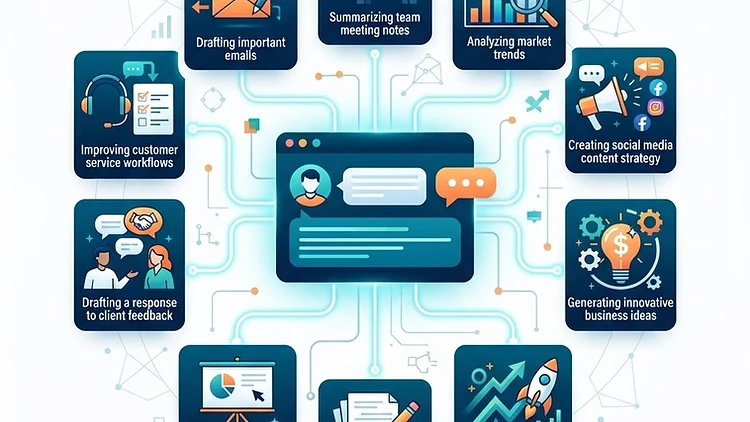
10 ChatGPT Prompts Every Manager Needs in Their First Email
Last updated: 02.09.2026
Most managers who use ChatGPT make the same mistake: they ask a vague question, get a vague answer, and move on. The secret isn't the tool — it's the prompt. A good prompt is the difference between "write me an email" and a response tailored to your brand voice, your target audience, and your business goal.
Here are 10 ready-to-copy prompts that solve real daily tasks — from drafting emails to competitor analysis. Each prompt includes a clear structure you can adapt to your business in seconds.
1. Professional Email Drafting Without the Awkwardness
The prompt: Write a professional email from a business owner to a potential client. The goal: send a price quote after an initial discovery call. The tone: friendly but businesslike, not too formal and not too casual. Length: up to 6 lines. Include a clear call to action at the end — requesting approval or a follow-up call. Do not use phrases like "I hope this email finds you well" or any outdated corporate language.
Why it works: The prompt defines tone, length, goal, and call to action — instead of leaving ChatGPT to guess. The result: an email that feels human, precise, and moves the deal forward.
2. Meeting Summary with Action Items
The prompt: Below is a description of a meeting (or a transcript). Describe the meeting in 3 parts: 1. Key takeaways — up to 5 short points. 2. Decisions made — bullet list. 3. Follow-up tasks — action table with owner and deadline for each task. If information is missing, flag it explicitly instead of making it up.
[Paste meeting content here]
Why it works: A fixed 3-part structure ensures nothing gets lost. The instruction "don't make things up" prevents ChatGPT from adding information that wasn't in the meeting — a common problem that leads to errors.
3. Turn One Article into a LinkedIn Post Series
The prompt: Take the following text and create 3 separate LinkedIn posts from it. Each post: a punchy headline in the first line, up to 4 lines of content, and a discussion question at the end. The tone: professional-personal, like a manager sharing an insight from experience. Don't use multiple emojis — one per post maximum. Keep the language natural and flowing.
[Paste article text here]
Why it works: One article generates three posts ready to publish. The instruction to keep a personal tone and limit emojis prevents the "written by a bot" syndrome. For automating your social media posting schedule, tools like Make can connect your content pipeline directly to your publishing channels.
4. Quick Competitor Analysis
The prompt: I want to compare my business to 3 competitors. Below is a description of my business and the competitors. For each competitor, analyze: 1. Strengths compared to my business. 2. Weaknesses compared to my business. 3. An opportunity I can exploit. Present the analysis in a clean, organized format, one competitor per block.
[Paste business and competitor descriptions here]
Why it works: Instead of a general, superficial analysis, the prompt forces a direct comparison to your business. The result: a practical roadmap for action, not just a list of facts.
5. Brainstorming for a New Product
The prompt: I'm developing a new product: [brief description]. Give me 15 ideas for positioning and marketing messages, divided into 3 categories: 1. Rational messages (logic, savings, efficiency). 2. Emotional messages (fear, aspiration, belonging). 3. Social messages (social proof, authority, trend). One sentence per idea. Then, mark the 3 strongest ideas and explain why.
Why it works: Dividing into categories prevents repetitive ideas. The request to mark the strongest ones gives you a focused starting point instead of 15 ideas you need to sort through yourself.
6. Customer Follow-up Email Sequence After a Call
The prompt: Write a follow-up email series after a consultation call with a potential client. 3 emails at intervals of 3 days, 7 days, and 14 days from the call. Each email: short and clear subject line, body up to 4 lines, and one call to action. The tone: professional, not pushy, feels like a natural continuation of a conversation. Do not use "just checking in" or pushy phrasing.
Why it works: A follow-up sequence is one of the tasks business owners struggle with most — because it's hard to find the right tone between "annoying" and "professional." The prompt solves this in one shot. To automate this sequence so it sends itself, a CRM like GoHighLevel can trigger these emails automatically based on call status — no manual sending required.
7. Simplifying a Legal or Technical Document
The prompt: Below is a legal/technical document. Simplify it into language that a small business owner can understand in one read. Maintain full accuracy in meaning — don't omit important clauses. Present the result in two parts: 1. Summary in 5 key points. 2. "Watch out" — 3 points that require special attention or could cost money.
[Paste the document here]
Why it works: Legal documents make small business owners stop reading after two lines. The prompt breaks it down into a point summary + red flags — exactly what actually matters to know.
8. Sales Call Script Without the "Salesy" Feeling
The prompt: Write a sales call script for [service description]. Structure: 1. Opening — an open-ended question that surfaces a real problem for the client (not "how are you"). 2. Discovery — 3 questions that uncover the real pain. 3. Solution — connecting the pain to the service, without marketing buzzwords. 4. Close — a soft ask for the next step. The tone: consultant, not salesperson. Every sentence in natural language, like a conversation between people.
Why it works: Classic sales scripts feel artificial — and clients detect it instantly. The instruction to approach as a consultant instead of a salesperson creates a conversation the client actually wants to continue.
9. Data Analysis from a Spreadsheet — Without Excel Formulas
The prompt: Below are monthly sales data [paste data]. Analyze: 1. 3 key insights that emerge from the data. 2. Outliers — data points that deviate from the average by 20% or more. 3. One recommendation for immediate action based on the insights. Present the analysis in plain language, no statistical jargon. Give one example from the data itself for each insight.
Why it works: Instead of "analyze the data" which produces a generic, valueless summary, the prompt asks for insights, outliers, and one recommendation — exactly what a manager needs to make a decision.
10. Weekly Planning in 5 Minutes
The prompt: Below is my task list for the upcoming week [paste list]. Organize it using the Eisenhower Matrix (urgent/important). Present 4 categories: 1. Urgent and important — do today. 2. Important and not urgent — schedule in the calendar. 3. Urgent and not important — delegate if possible. 4. Not urgent and not important — delete or postpone. For each category, provide the relevant tasks. If a task is unclear, ask for clarification instead of guessing.
Why it works: Most managers start the week with a flat list of 20 tasks and feel like they can't finish anything. The matrix forces true prioritization — and leaves room for what actually moves the business forward.
How to Adapt These Prompts to Your Business
Every prompt here is a skeleton. To get precise results, replace the content in brackets with your own details — business name, client type, the service you offer. The more specific the information you provide, the more accurate and useful the response will be.
One tip that changes everything: after every ChatGPT response, ask "what would you change to make this more suited to my business?" — and let it refine. Two rounds of editing turn a generic answer into something that feels written just for you.
If you want to take it further, you can connect ChatGPT to your actual business systems using Make — automate prompt chains, feed real customer data, and get outputs that are already tailored without manual copy-paste. For managing the customer relationships that come after, GoHighLevel gives you CRM, email automation, and WhatsApp in one platform — so the prompts don't just live in a chat window, they drive real business workflows.
Affiliate disclosure: The Make and GoHighLevel links in this article are affiliate links. We may earn a commission if you purchase a subscription through them, at no additional cost to you. Recommendations are based on practical experience and relevance for small businesses.
Want to receive a new prompt pack every month, practical guides, and tool reviews — delivered straight to your inbox? Subscribe to the UDigitalAI newsletter and stay one step ahead.
As of August 2026. Features and pricing may change — check with providers before purchasing.
Recommended SaaS tools for your business
Tools we've tested in the field with clients and businesses — worth the investment. Links marked as affiliates: if you buy through them we earn a commission, at no extra cost to you.
Zapier
אוטומציהחבר יותר מ-6,000 אפליקציות ובנה אוטומציות ללא קוד — מהמהירות ביותר להפעלה בעסק.
Make
אוטומציהאוטומציה ויזואלית עם בקרה מדויקת על כל שלב — מתאים לזרימות עבודה מורכבות.
Notion
פרודוקטיביותמסמכים, מסדי נתונים וניהול פרויקטים במקום אחד — בסיס ידע מרכזי לצוות.
HubSpot CRM
CRMניהול לקוחות חינמי עם כלים שיווקיים מובנים — נקודת התחלה מצוינת לעסקים צומחים.
ChatGPT Plus
AIגישה ל-GPT-4o וכלי יצירה מתקדמים — עוזר אישי AI לכתיבה, ניתוח ומחקר.
Airtable
ניהול נתוניםמסד נתונים גמיש שמרגיש כמו גיליון — לניהול תהליכים עסקיים בלי פיתוח.
Disclosure: some links on this page are affiliate links. If you purchase through them, UDigitalAI may earn a commission — our recommendations are based on hands-on experience, not on the commission.
Comments
Share your insights and join the conversation.
No comments yet. Be the first to respond.
ID: UDA-EN-005